
Evaluating Test Automation Results Correctly
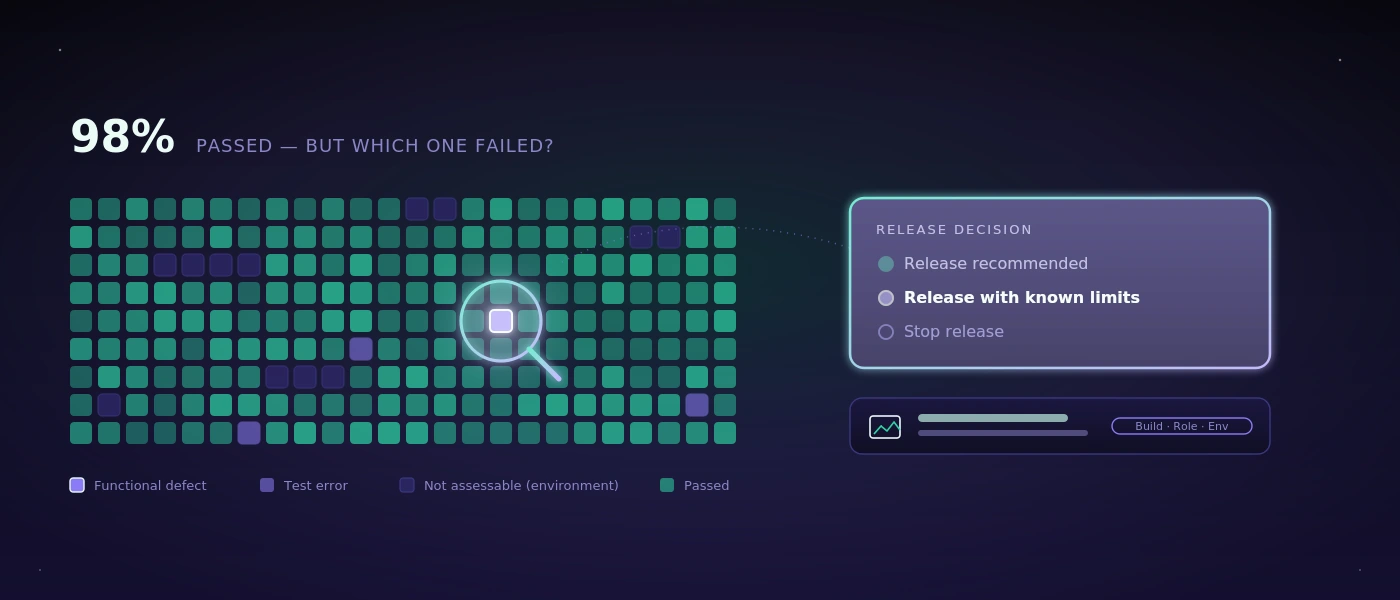
A regression test can end the morning with 98 percent of cases passing and still not be good news. Perhaps the failed test is exactly the login of a major customer. Perhaps 40 tests were skipped because the test environment wasn't reachable. Or the run was green, but only checked whether buttons exist, not whether an order actually gets saved, a delivery note generated, and stock adjusted correctly. Test automation results aren't a statement about quality as long as their context is missing.
For QA leads, development, and business departments, the real work therefore doesn't lie only in automating tests. What matters is preparing results so that reliable decisions emerge from them: can a release be rolled out? Does an error need to be handled immediately? Is the error new, recurring, or just a problem with the test environment? And is there evidence that a business department without test code can also follow?
What Test Automation Results really tell you
The simplest metric is: passed or failed. It's helpful, but rarely sufficient. A high pass rate can build confidence if the tests cover critical workflows, the test data is plausible, and the environment resembles later operation. If one of these factors is missing, the number remains mainly a signal that an automated run was executed.
For business-critical applications, other questions weigh more. In a warehouse solution, not every screen is equally important. A display error in an internal hint text can wait. An error that books the wrong quantity at goods receipt or generates a shipping label without a recipient address cannot. Good test results therefore weight risks instead of treating all cases equally.
A failed test isn't automatically a product defect either. It can be triggered by expired credentials, a locked test role, unavailable interfaces, changed test data, or a slow environment. Whoever doesn't separate these causes produces noise. The team then spends time on false alarms while real errors get lost among red status messages.
Four status types instead of one red list
A clear classification works well in practice: functional defect, technical test failure, environment problem, and expected change. A functional defect means the application violates a defined requirement. A technical test failure points more to the test itself, such as a selector that no longer matches after a deliberately changed interface.
An environment problem exists when, for example, a test system or a connected interface isn't available. Expected changes arise when a process was deliberately adjusted but the automation still checks the old target state. These categories don't prevent every discussion. But they make sure the discussion starts at the right point.
From test runs to decision-ready reports
A usable report answers not only that something failed, but what happened, how severe it is, and whether the error appears reproducible. That takes more than a list of test names and timestamps.
Every relevant run should include the tested build, the test environment, the role used, key test data, and start and end time. Especially with Windows desktop applications or complex web platforms, this information is needed to narrow down differences. An error that only occurs under a restricted warehouse role is something different from an error that blocks every login.
Meaningful results also contain traceable evidence: screenshots, recorded steps, error messages, and, where needed, technical logs. A screenshot alone can be misleading, though. It shows a moment, not the cause. The combination of step sequence, visible state, and expected response is far more helpful.
AI-assisted systems can turn this evidence into understandable assessments. With COCO, for example, tests run on a dedicated, self-hosted AI server. The evaluation can explain that an order was created but the expected status change didn't occur, and directly link the recording of the execution. For security-conscious teams, it matters where screenshots, application data and test traffic are processed. Local control isn't automatically required, but for internal applications and sensitive data it can be the more sensible path than an external cloud service.
The right level of detail for different recipients
Development teams need error messages, technical steps, and the most precise possible hints for reproduction. An operations manager, by contrast, first needs the affected function, the business risk, and a clear statement on operational readiness. Both perspectives must be derivable from the same execution, without anyone having to transfer results into presentations manually.
A good report therefore starts with a short decision layer: release recommended, release with known limitations, or stop the release. Below that come the critical deviations with priority and evidence. The technical details follow only after that. That's not a simplification at the expense of accuracy, but a clean separation of information needs.
Measuring coverage without fooling yourself
Test coverage is often presented as a percentage. That value is useful when it's clear what it measures. Code coverage, for example, shows which parts of the program code were executed during tests. That doesn't prove a business process works correctly. A test can touch many lines of code and still never check whether a wrong delivery address appears on the document.
For business departments, process coverage is often more meaningful. It describes which real workflows are protected: capturing an order, reserving stock, booking a partial delivery, accepting a return, or approving an invoice. Transitions between systems and roles are especially valuable, because that's where errors often arise: when importing an order, printing a label, or switching from office to warehouse terminal.
Don't prioritize by the number of possible tests, but by damage impact and frequency of change. A rarely used process with high financial or legal risk often deserves automation sooner than a frequently used but harmless view. Conversely, a stable, low-criticality workflow can still get by with a short manual check. Not every check has to be automated just because it can be.
Unstable tests are a quality problem of their own
Tests that pass sometimes and fail other times without any recognizable product change are often called flaky. They damage trust faster than a permanently red test. As soon as teams reflexively restart red results, the automation loses its warning function.
The causes are usually concrete: hard-coded waits, shared test data, parallel access, asynchronous processing, or an environment that isn't reset. A short three-second pause in the test can help by chance, but it's not a solution. It's better to wait for a verifiable state, make test data unique, and isolate workflows from each other.
Not every instability can be avoided entirely. External interfaces can fluctuate, and real infrastructure has outages. The report should then clearly mark whether a test couldn't be evaluated because of an external dependency. A repeated run can be useful for diagnosis, but it must not make the first finding invisible.
A sensible process after every test run
After an automated run, not every result should immediately be treated the same. First, blocking errors and non-evaluable critical tests are checked. Then comes classifying new deviations against known, accepted problems. Only then is a release decision reliable.
Defined thresholds help, but they have to fit the process. For example, a failed test in the payment or permissions flow can trigger an immediate stop. For a purely cosmetic deviation, a documented exception can be acceptable. Such rules shouldn't first emerge under time pressure before a release.
Equally important is feedback: every production error that the tests didn't detect is a reason to check whether a scenario, a test data variant, or a control point is missing. The goal isn't to pile up as many tests as possible. It's to build better safeguards, in a targeted way, from real errors.
In the end, the most useful test results aren't those with the greenest overview. They're those where a responsible person on Monday morning can understand what was checked, what risk remains, and what action is now sensible.